What Should Medical Aesthetics Software Include? 2026 Checklist
Use this 48-point aesthetic clinic software requirements checklist to define booking, records, security, inventory, payments, reporting, and usable exports.
Research method: US government guidance and official vendor documentation checked July 22, 2026. This checklist is an original planning tool, not hands-on product testing or legal, security, compliance, or clinical advice.
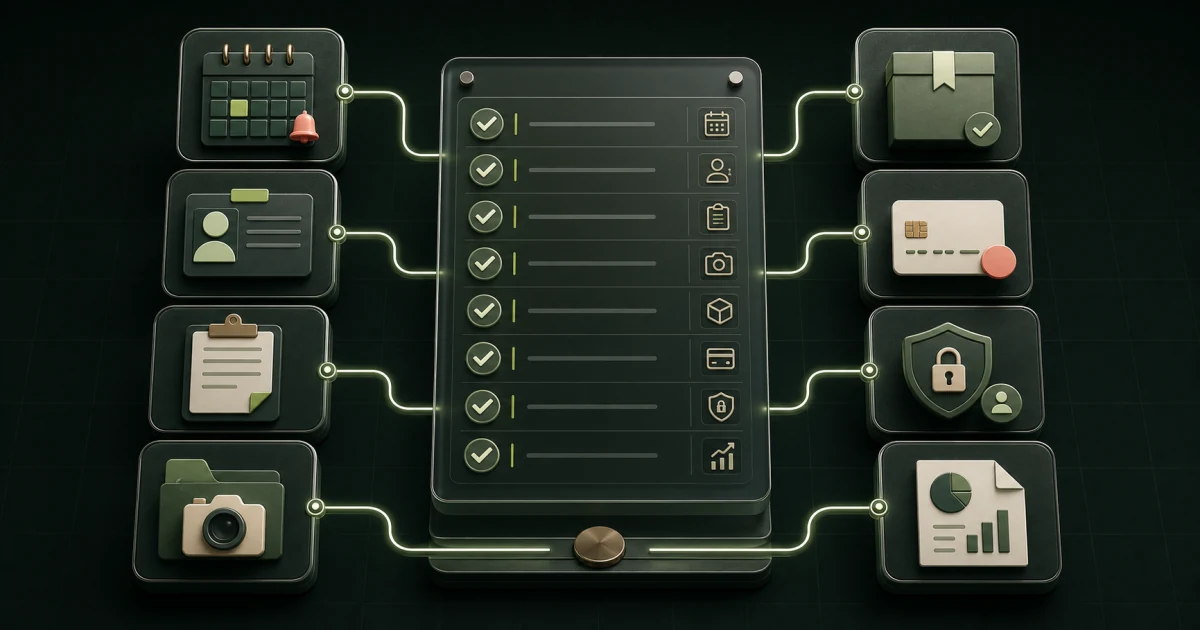
- Write each requirement as a role, task, data type, acceptance test, and evidence request.
- Treat booking, clinical records, marketing, payments, and reporting as connected workflows with clear system owners.
- Verify agreements, access controls, audit records, backups, incident terms, and usable exports in writing.
- Download the 48-point checklist and mark every item required, conditional, or out of scope before vendor demos.
What should medical aesthetics software include?
Medical aesthetics software should include the smallest complete set of capabilities needed to run the clinic's documented workflows. For most practices, that means scheduling and resource rules, intake and records, procedure documentation, inventory, payments, patient communications, staff permissions, reporting, integrations, and a usable exit path.
The label on the product is not enough. Current official pages show how broad the category has become: Aesthetic Record describes booking, charting, inventory, photo management, point of sale, and ecommerce in one platform, while Zenoti describes clinical records, forms, scheduling, payments, memberships, communications, and multi-location controls. Those are vendor descriptions, not independent performance findings. See the Aesthetic Record plan page and Zenoti feature page.
Your requirements should state what the clinic needs, not repeat either vendor's menu. Keep the public discovery and service-education layer in view too. The medical aesthetics software and website infrastructure page explains why a clinic may need both operational software and a search-ready website.
What belongs in a software requirement before a demo?
A useful requirement names five things: the role doing the work, the task, the data involved, the result that counts as a pass, and the evidence the vendor must provide. "Has online booking" is a feature label. "A new patient can book a consultation with the correct provider and room from a phone, then receive the approved confirmation" is testable.
Add a priority to every line. Use Required when a failed item blocks launch, Conditional when it applies only to a service or role, and Out of scope when another system owns it. This prevents a demo from turning every polished feature into a new need.
The downloadable 48-point requirements checklist uses that structure. Complete it with the owner, front desk, providers, operations lead, and whoever owns privacy or security questions before building a shortlist.
| Requirement field | What to write | Example evidence |
|---|---|---|
| Role | Who performs or approves the task? | Front desk user completes the test. |
| Workflow | What must happen from trigger to completion? | Phone booking reaches the correct calendar and confirmation. |
| Data | What information enters, changes, or leaves? | Field list, access map, retention rule, and sample export. |
| Pass condition | What observable result is acceptable? | No duplicate entry and the room cannot be double-booked. |
| Proof | What must the vendor show or provide? | Live demo, configuration screen, contract term, or opened export file. |
Which requirements are universal and which are conditional?
Every clinic needs identity and access control, reliable scheduling ownership, basic reporting, support terms, backups, and a way to retrieve its data. Other capabilities depend on the clinic model. A cash-pay skin studio, an injectable practice, and a wellness clinic with prescribing workflows should not begin with identical lists.
Treat a capability as conditional until a named service, role, agreement, or legal review makes it necessary. This is especially important for clinical documentation, photos, electronic prescribing, medical-director review, inventory traceability, memberships, and multi-location controls.
| Capability | Usually required | Make it conditional when |
|---|---|---|
| Scheduling and resource rules | Yes | The public scheduler stays elsewhere, but ownership and handoff still need testing. |
| Role-based access and audit history | Yes when sensitive clinic data is stored | A separate record system owns all sensitive data. |
| Procedure charting and photos | No | Only services and documentation policies that need them should drive scope. |
| Lot, batch, and expiration tracking | No | Products, state rules, clinical policy, or recall workflow require traceability. |
| Memberships and packages | No | The clinic sells them and has defined billing, redemption, refund, and cancellation rules. |
| Electronic prescribing or lab connections | No | Licensed workflows, state rules, and the clinic's technical stack require them. |
How should scheduling and online booking work?
Scheduling requirements should cover the whole appointment rule, not just an empty time slot. Specify service duration, provider eligibility, room or device needs, buffers, prerequisites, locations, deposits, cancellation rules, waitlists, rescheduling, and what staff can override. Test the patient path on a real phone-sized screen.
The website should send people into the correct context. A service-specific link is usually clearer than dropping every visitor into one large menu. The software then needs to preserve the selected service, location, provider, and appointment type without asking the patient or front desk to start over. The cloud software and website infrastructure guide maps that handoff, while the medical aesthetics booking software comparison provides a five-platform demo script and 100-point scorecard.
- Prove that one provider, room, or device cannot be assigned to conflicting appointments.
- Test a new patient, returning patient, reschedule, cancellation, waitlist, and deposit exception.
- Define which appointments may be self-booked and which require a consultation or staff review.
- Record confirmation, reminder, and failed-message ownership without assuming delivery is guaranteed.
- Track the source and service-specific booking action without placing clinical details in marketing analytics.
What should intake, consent, records, and photos support?
The system should support the clinic's approved documentation process for each in-scope service. Requirements may include configurable intake, required-field checks, versioned forms, signatures, provider review, procedure-specific notes, amendments, chart sign-off, photos, follow-up tasks, and medical-director review. The clinic, not the vendor demo, must define what belongs in the record.
Keep three permissions separate: collecting information for care, sending operational messages, and using material for marketing. A signed treatment form does not automatically settle photo-marketing use or promotional communication. Have qualified advisers review the clinic's forms, consent language, retention, and state-specific duties.
Ask whether copied notes, AI-drafted text, templates, and imported history remain visibly reviewable before sign-off. Do not accept a workflow that makes an automated draft look like a completed clinical decision. This checklist evaluates software behavior only and does not prescribe clinical documentation.
What should inventory and product tracking include?
Inventory requirements should connect purchasing, receiving, storage, use, adjustment, transfer, and reporting. At minimum, decide whether the clinic needs item quantities, locations, units of measure, reorder levels, cost, waste, and a clear adjustment history. Add lot, batch, or expiration fields only where the product workflow and clinic policy require them.
When a procedure uses inventory, test whether the record deducts the correct item and unit from the correct location. Then test the awkward cases: partial use, damaged stock, returned stock, expired items, manual adjustments, location transfers, and a recall search. The system should show who made each change and why.
Do not treat inventory as an accounting shortcut. Make the clinic define which report must reconcile with purchasing, usage, and physical counts, plus the acceptable timing difference. The medical aesthetics inventory software guide provides the full lifecycle map, live demo script, and 100-point evidence score.
What should payments, packages, and memberships handle?
Payment requirements should describe the clinic's actual transaction paths: deposits, checkout, tips if used, refunds, partial refunds, credits, financing handoffs, packages, memberships, recurring charges, failed payments, chargebacks, receipts, and reconciliation. Ask which amounts the clinic software stores and which remain with the payment provider.
The PCI Security Standards Council says PCI DSS applies to environments where payment account data is stored, processed, or transmitted. That makes payment architecture a scope question, not a checkbox. Review the PCI standards overview and confirm the clinic's obligations with its acquirer, payment provider, and qualified adviser.
Test one normal sale and one exception. A membership cancellation, a refund to the original method, or a package balance correction often reveals more about staff permissions and reporting than a clean checkout demo.
How should communications and marketing data stay separated?
The requirements should distinguish operational communication from marketing. Appointment confirmations, form reminders, post-visit instructions, review requests, promotions, and reactivation campaigns can have different content owners, consent rules, data needs, and stop conditions. Document which system sends each message and which record proves the status.
Define what marketing tools may receive. A campaign may need a service category, general location, or consent status without receiving clinical notes, photos, or detailed health information. Map each field that leaves the primary system, the reason it moves, the recipient, the retention period, and how access ends.
The FTC says its Health Breach Notification Rule applies to certain health apps and similar technologies outside HIPAA and was amended with changes effective July 29, 2024. Do not assume "not HIPAA" means "no health-data duties." Read the FTC's Health Breach Notification Rule basics and seek advice for the clinic's exact model.
What privacy and security requirements should be in writing?
Start by determining which entities, data, and workflows are in scope. HHS says a health care provider is a HIPAA covered entity only when it transmits information electronically in connection with a transaction for which HHS adopted a standard. Use the HHS covered-entity guidance and qualified counsel instead of applying one blanket answer to every aesthetic clinic.
If a vendor creates, receives, maintains, or transmits electronic protected health information for a covered entity, the agreement question matters. HHS says merely selling software does not create a business-associate relationship when the vendor has no PHI access, but a cloud provider maintaining ePHI for a covered entity needs an appropriate Business Associate Agreement. See the HHS business-associate FAQs.
Ask for written detail on role permissions, multifactor authentication, audit records, encryption, backups, restoration tests, incident notice, subcontractors, retention, deletion, and offboarding. HHS calls risk analysis foundational and says it should include all ePHI the organization creates, receives, maintains, or transmits, with an ongoing review process. The HHS risk-analysis guidance does not provide a one-size-fits-all compliance blueprint, and neither does this checklist.
What accessibility requirements should the patient path pass?
Patient-facing booking, forms, portals, payments, and messages should be usable without a mouse and understandable with assistive technology. Test keyboard navigation, visible focus, labels, error messages, contrast, zoom, time limits, and the reading order on mobile. A feature can be present and still fail the person trying to use it.
The US Department of Justice says hospitals and medical offices are among the businesses open to the public covered by ADA Title III. Its web accessibility guidance specifically identifies form labels, clear instructions, error indicators, keyboard access, contrast, and text alternatives. It also notes that businesses have flexibility in how they meet the ADA's general requirements. Obtain legal advice for the clinic's obligations and use current accessibility standards as technical guidance.
Include staff accessibility too. Front-desk and provider screens should support the people who use them all day, including keyboard workflows, readable status indicators, and errors that do not rely on color alone.
What should reporting, integrations, and data exports prove?
Reporting requirements should begin with owner questions, not dashboard names. Examples include appointment outcomes, provider or location utilization, deposits collected, membership liabilities, inventory movement, unresolved charts, communication delivery, lead source, and reconciliation differences. Define the field, time range, filter, owner, and acceptable delay for each answer.
Replace "integrates with" with a connection test. Record whether the link is a redirect, embed, file transfer, automation service, vendor connector, or documented API. Name the data moving in each direction, failure alerts, support owner, rate or usage limits, added fees, and what happens when either product changes.
A usable export is a launch requirement, not an offboarding afterthought. Request representative patients, appointments, forms, notes, photos, balances, inventory, audit history, and attachments where applicable. Open the sample outside the product, check field labels and relationships, and put export format, timing, fees, read-only access, and deletion terms in writing. The medical aesthetics software buying guide adds a weighted scorecard and migration questions for comparing finalists.
Which clinic role should own each requirement?
One owner should approve each requirement, even when several people use the workflow. Shared ownership often means nobody notices a missing exception until launch week. The owner does not need to configure the software, but must confirm that the proposed behavior matches clinic policy and daily work.
| Role | Requirements to own | Demo task |
|---|---|---|
| Owner or practice manager | Scope, budget, reporting, memberships, contracts, and success measures. | Explain the daily or monthly decision each report supports. |
| Front desk | Booking, reminders, changes, deposits, lookup, waitlists, and exceptions. | Complete a new booking, reschedule, cancellation, and failed-payment handoff. |
| Provider or clinical lead | Documentation, forms, review, photos, follow-up, and clinical boundaries. | Complete and amend a sanitized record using the correct role. |
| Inventory or operations lead | Receiving, use, adjustments, counts, transfers, and reconciliation. | Trace one item from receipt through use and an adjustment. |
| Marketing owner | Source tracking, approved communications, consent status, and website handoff. | Follow a service-page visit into booking and the owner report. |
| Privacy, security, or implementation owner | Access, agreements, audit history, backup, incidents, integrations, exports, and exit. | Remove access, locate the audit event, restore a test item, and open an export. |
How do you turn the checklist into a live acceptance test?
Give every finalist the same sanitized script and require observable proof. A salesperson saying "yes" is the weakest evidence. A live workflow is stronger. A configuration screen, opened export, written support commitment, or contract term is stronger still when the requirement depends on ongoing service.
Record Pass, Partial, Fail, or Not shown. A Partial result needs a named workaround, added cost, owner, and accepted risk. Roadmap promises stay Not shown until the capability is live and included in the proposed plan. Any failed launch blocker should override a high feature score.
| Evidence level | What counts | How to record it |
|---|---|---|
| 1. Claim | Sales or marketing statement only. | Not shown. Keep the question open. |
| 2. Demonstration | Vendor completes the clinic script in the product. | Pass or Partial with notes and screenshots where allowed. |
| 3. Configuration proof | Clinic can see the setting, permission, template, or integration method. | Name the plan, role, setup owner, and added cost. |
| 4. Data proof | Clinic opens an import, report, audit entry, backup result, or export. | Attach the sanitized sample and acceptance result. |
| 5. Written commitment | Contract, security exhibit, BAA where applicable, support term, or implementation scope. | Reference the exact document and version. |
How should you use the 48-point checklist?
Download the aesthetic clinic software requirements checklist, assign one owner to every relevant row, and mark each item Required, Conditional, or Out of scope. Add the clinic's pass condition before a demo. If the team cannot write a pass condition, the requirement is not ready.
After the requirements review, use the buying guide to shortlist and score products. Keep the requirements file with the final quote, implementation scope, data map, training plan, and decision memo. Reuse the same tests before launch and again before approving the last migration step.
If a standard platform cannot meet the documented workflow, narrow the custom scope before building. The TheClinify Portal is discovery-priced because modules, users, integrations, patient-facing features, and data responsibilities vary. A custom build still needs every requirement, security question, acceptance test, and exit term in this checklist.
FAQ
What are the must-have features in aesthetic clinic software?
Most clinics need reliable scheduling ownership, appropriate records, staff permissions, audit history, reporting, support, backups, and usable exports. Booking, charting, photos, inventory, memberships, electronic prescribing, and multi-location features become must-haves only when the clinic workflow requires them.
Is every medspa required to use HIPAA-compliant software?
Do not use one blanket answer. HIPAA applies to covered entities and business associates, and coverage depends on the entity, transactions, data, access, and relationship. Confirm the clinic and vendor obligations with qualified legal and security advisers before choosing a system.
Should aesthetic clinic software include online booking?
It should support a tested booking handoff, but the public booking experience may live in the clinic platform or another connected system. Specify service rules, providers, rooms, prerequisites, deposits, changes, mobile accessibility, confirmations, source tracking, and who owns failures.
How many software requirements should a clinic write?
Use enough requirements to cover the real workflow and critical exceptions without copying a vendor feature catalog. The downloadable checklist starts with 48 prompts across eight areas. Mark irrelevant items out of scope and add clinic-specific pass conditions to the rest.
Need a Portal scoped around this requirements list?
Bring the completed checklist to a discovery call. We will identify what belongs in a custom Portal, the public website, or an existing clinic system.
Request a Portal discovery call