From Google Search to Confirmed Appointment: The Medspa Conversion Path
Map the medspa website conversion path from Google impression to confirmed appointment with an 8-stage evidence map and 24-point mobile test.
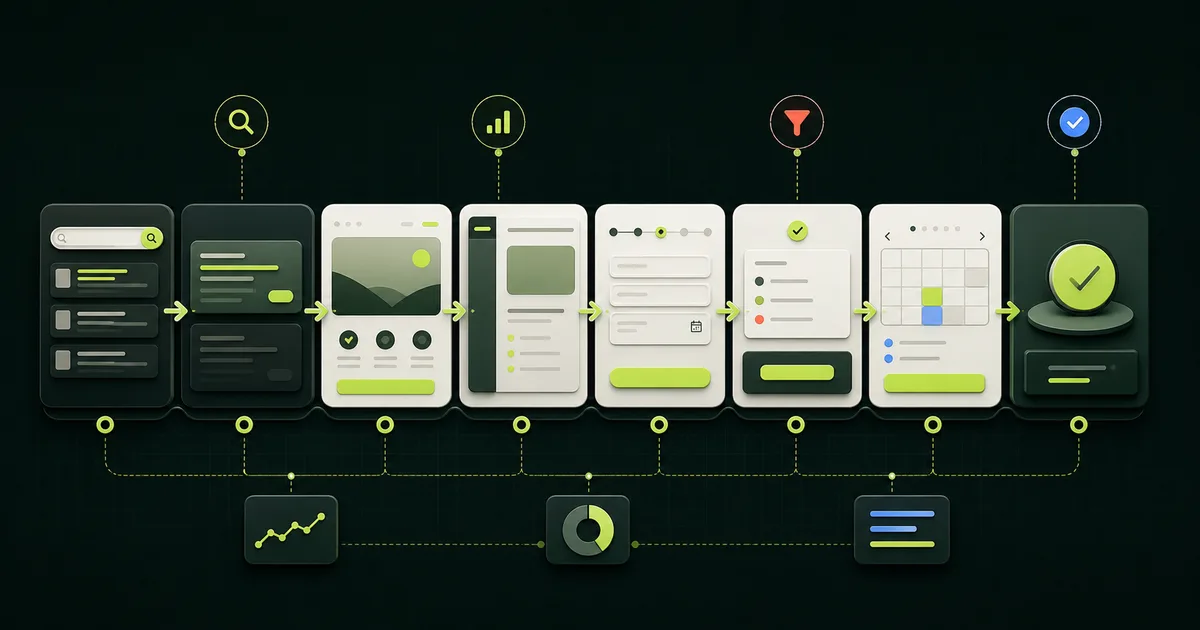
Reviewed by Abdullah Wasim. Editorial method: We checked current Google Search Console, Google Analytics, web.dev, W3C, and HHS primary guidance on August 3, 2026. Search results were used only to confirm intent. The eight-stage map, formulas, and 24 controls are original editorial frameworks, not industry benchmarks or patient-study findings. We did not inspect a clinic analytics account or claim conversion results. This is not clinical, legal, privacy, security, or accessibility advice. The featured artwork was generated for TheClinify with OpenAI ImageGen and contains no clinic, patient, or vendor assets.
- Define conversion as a confirmed appointment only when the booking system has a real record and status.
- Measure eight handoffs separately so a search, page, form, booking tool, or staff failure cannot hide inside one rate.
- Keep service and source context through the path, but keep personal and sensitive health information out of analytics.
- Test the live path on a phone, including errors, duplicate submissions, staff receipt, and the confirmation message.
What is a medspa website conversion path?
A medspa website conversion path is the documented sequence from a person's search result to a confirmed appointment. It includes the search impression, page visit, service decision, form or booking action, system handoff, staff ownership, and final booking status. Each stage needs one owner, one source of evidence, and a defined failure state.
The definition matters because a website event is not the same as an operating result. A booking-button click proves that someone activated a control. A form success message proves that the browser displayed a state. Neither proves that the clinic received the request or confirmed an appointment. The clinic analytics dashboard should keep those events separate instead of presenting one inflated conversion total.
This guide covers the measurement and handoff layer. Use the medical spa website design checklist for page structure and trust, and the 40-control redesign board for a relaunch. The goal here is narrower: find the first step that fails after a qualified visitor arrives.
What are the eight stages from search to appointment?
The complete path has eight stages because discovery, browser behavior, booking operations, and confirmation live in different systems. The sequence below is a control map, not an industry funnel benchmark. Adapt the owners and evidence to the clinic's actual website, booking platform, locations, and staff workflow.
A stage passes only when its named evidence exists. If the browser fires an event but the booking system has no record, the handoff failed. If the booking system has a request but nobody owns it, the operational stage failed. This distinction stops marketing reports from quietly counting unfinished work as confirmed demand.
- 01
Search impression
- Owner
- Search and content
- Pass evidence
- Canonical page impression for a relevant query
- Failure signal
- Wrong query, weak visibility, or the wrong URL appears
- 02
Search click and arrival
- Owner
- Website
- Pass evidence
- Search click plus a usable landing-page response
- Failure signal
- Slow, broken, redirected, or mismatched arrival
- 03
Service decision
- Owner
- Page content
- Pass evidence
- Service-specific next action selected
- Failure signal
- The page leaves the next step or service unclear
- 04
Form or booking start
- Owner
- Website and booking tool
- Pass evidence
- A validated start event for the intended action
- Failure signal
- Embed, validation, availability, or mobile defect
- 05
Successful handoff
- Owner
- Integration
- Pass evidence
- Backend request or booking record with a unique ID
- Failure signal
- Browser success appears without a system record
- 06
Staff receipt
- Owner
- Front desk or care team
- Pass evidence
- Named queue, owner, timestamp, and status
- Failure signal
- Unowned inbox, duplicate lead, or missed notification
- 07
Appointment accepted
- Owner
- Booking operations
- Pass evidence
- Correct service, location, time, and required step
- Failure signal
- Wrong appointment, incomplete deposit, or stale slot
- 08
Appointment confirmed
- Owner
- Booking system
- Pass evidence
- Confirmed status plus patient-facing confirmation
- Failure signal
- Request counted early or confirmation never arrives
Browser activity ends at the handoff. The booking or operating system must provide the final appointment evidence.
Which metric belongs to each conversion stage?
Use one denominator per question. Google defines Search Console click-through rate as clicks divided by impressions, while impressions and clicks follow Search-specific counting rules. The official Search Console metric definitions also explain that data is commonly assigned to the canonical URL. Search CTR therefore describes a search-result handoff, not a website booking rate.
Google Analytics documents form_start and form_submit as automatically measured form interactions when the setup supports them. It recommends generate_lead when someone submits a form or request for information, plus later lead-stage events for offline work. See Google's lead measurement guide and recommended event list. Validate each event on the real form because an event name does not prove a backend record exists.
Do not multiply a collection of rates and call the result precise unless every numerator, denominator, identity rule, time window, and source boundary matches. A privacy setting, cross-domain booking tool, phone call, repeat visitor, staff-created booking, or blocked script can break the chain. Report unknowns instead of forcing them into a clean story.
| Question | Formula | Evidence boundary |
|---|---|---|
| Did the search result earn a visit? | Search clicks / search impressions | Search Console, filtered to the canonical and agreed query set. |
| Did landing visitors choose a next step? | Unique next-action starts / eligible landings | Website events with a written eligibility rule. |
| Could people complete the form? | Successful submissions / form starts | Browser event matched to a backend record where possible. |
| Did requests reach clinic operations? | Received unique requests / successful submissions | CRM, inbox, or booking queue after deduplication. |
| Did requests become confirmed appointments? | Confirmed appointments / accepted unique requests | Booking-system status in the defined follow-up window. |
| What is the end-to-end tracked rate? | Confirmed attributed appointments / eligible tracked landings | Only when source matching, consent, identity, and time rules are documented. |
How do you preserve source and service context?
Preserve only the context needed to understand the handoff: source, medium, campaign, landing page, service-page ID, location ID, action type, and a neutral request or booking ID. Google's traffic-source documentation maps manual UTM parameters to source, medium, campaign, term, and content dimensions. It also warns that partial or mixed tagging can change attribution, so write one naming standard before publishing links.
Do not add new UTM parameters to internal navigation. That can overwrite the session story. Keep service and location context through an approved first-party value, a booking-tool field, or a backend mapping. Use stable, neutral IDs such as `service_injectables_consult` instead of copying free-text form answers into an analytics event.
Write the attribution window beside the report. A person may search on a phone, return directly on a laptop, call the clinic, and book later through staff. That appointment can still be valuable without being safely or reliably attributable to one website session. Keep an "unknown or unlinked" row so the dashboard does not reward guesswork.
Should a medspa use direct booking or a request form?
Use direct booking when the clinic can expose a well-defined appointment type with accurate location, provider, duration, availability, and payment rules. Use a request form when staff must review service fit, scheduling details, or another approved condition before offering a time. A phone route can remain available, but it should not be the only usable mobile path.
The better route is the one clinic operations can finish reliably. A short form that enters an unowned inbox is worse than a longer booking sequence with clear status and staff responsibility. Use the annotated medspa website examples to plan the screen, then test the actual vendor configuration with the medical aesthetics booking workflow comparison.
| Route | Use when | Evidence of completion | Common false positive |
|---|---|---|---|
| Direct booking | A defined appointment can be scheduled safely and accurately. | Booking ID, appointment details, status, and confirmation. | Calendar opens or a time is selected. |
| Consultation request | Staff must review the request before confirming a time. | Request ID, staff owner, status, and later appointment link. | Thank-you page appears. |
| Phone or text | A person needs help or the digital route cannot cover the case. | Approved call or message record linked to an operating status. | Tap-to-call event fires. |
How do you test the form and booking handoff?
Test the complete path on the production build with a sanitized test identity. Start from the actual search landing page on a phone-sized viewport. Complete the happy path, then test required fields, invalid values, double submission, expired sessions, no availability, canceled payment, and a return from the external tool. Check both the screen and the staff-side record.
W3C guidance says form controls need labels that describe their purpose and associate correctly with the control. Its form-label tutorial also notes that labels increase the clickable area. For failures, W3C's error-identification guidance requires an automatically detected error to identify the item and describe the error in text. Treat those as usable form controls, not proof of full accessibility conformance.
Performance is another test boundary. Google defines good field thresholds at the 75th percentile as LCP within 2.5 seconds, INP at 200 milliseconds or less, and CLS at 0.1 or less in its Core Web Vitals guidance. Lab checks can catch regressions before release, but Google says they do not replace field data. Test the booking embed and consent tools in the final page, not an empty template.
What counts as a confirmed appointment?
Count a confirmed appointment only when the clinic's source-of-truth system has a unique record, the intended appointment details, a confirmed status, and the required patient-facing confirmation. A thank-you page, form_submit event, generate_lead event, calendar view, selected time, or payment attempt belongs to an earlier stage.
Write the status vocabulary before reporting. A useful set might include new request, received, working, accepted, confirmed, reschedule needed, canceled, duplicate, and closed without booking. Match it to the clinic's system rather than forcing new labels into reports. Name who can change each status and which timestamp controls the monthly count.
Check notification evidence separately. The appointment can exist while the confirmation email or text fails. That is a patient-experience defect, not a reason to erase the booking record. The report should show both the confirmed status and notification failures so the owner sees the full handoff.
How should a clinic handle analytics and sensitive data?
Keep analytics events minimal and neutral. Google's current HIPAA and Google Analytics guidance says customers must not pass data Google could recognize as personally identifiable information, must not collect data that reveals sensitive information about a user, and must not expose Google to PHI. Google also says it does not offer a Business Associate Agreement for Google Analytics.
HHS's current online tracking technologies bulletin says the HIPAA Rules apply when a regulated entity's tracking information includes PHI. The page also displays a June 20, 2024 court limitation: an IP address plus a visit to an unauthenticated public health page is not, by itself, enough to trigger the vacated portion of the guidance. The remaining obligations still depend on the entity, data, page, disclosure, and purpose.
Do not settle that analysis inside an analytics dashboard. Inventory every tracker, field, URL parameter, event property, booking embed, session-replay tool, chat widget, and destination. Then have qualified legal, privacy, security, and clinical owners decide what can run on each page. A useful report can use aggregate counts and neutral workflow IDs without copying names, contact details, treatment interests, appointment notes, or free text into analytics.
- Never place names, email addresses, phone numbers, birth dates, or free-text answers in analytics event properties.
- Review page URLs and query strings before enabling page-view tracking because they can carry form or service details.
- Keep authenticated portals and clinical intake outside the marketing analytics plan unless qualified owners approve a different design.
- Document consent behavior, tag loading, data destinations, retention, deletion, access, and incident ownership.
- Use sanitized test records and remove them from operational reporting after verification.
How do you find the first broken handoff?
Compare adjacent stages using the same date range, time zone, service scope, location scope, and identity rule. Start at the operating result and work backward. If confirmed appointments exist but lack a source, inspect the attribution handoff. If requests exist but do not become appointments, inspect staff and booking operations before redesigning the landing page.
Change one layer at a time. A new headline, form, booking vendor, tracking rule, and staff process launched together can improve the outcome while making the cause unknowable. Record the baseline, the defect, the owner, the change date, and the pass condition. Review volume and failure cases together.
| Observed gap | Verify first | Likely owner |
|---|---|---|
| Impressions without useful clicks | Query, canonical, title, description, and landing intent. | Search and content. |
| Clicks without a usable arrival | HTTP response, redirect, mobile rendering, consent layer, and speed. | Website. |
| Landings without a next-action start | Service match, action label, trust, price context, and mobile visibility. | Content and design. |
| Starts without a successful record | Validation, errors, embed, availability, duplicate handling, and backend receipt. | Website and integration. |
| Records without a staff owner | Queue, notifications, routing rules, hours, escalation, and status discipline. | Clinic operations. |
| Accepted requests without confirmation | Appointment details, deposit, status, and patient notification. | Booking operations. |
What belongs in a 24-control conversion-path test?
Run these 24 controls on the live mobile path before launch and after material changes to the page, booking tool, form, tracker, consent layer, service catalog, location routing, or notification setup. Record a screenshot or system record for each pass. A checked box without evidence is only an opinion.
The list does not certify accessibility, privacy, security, legal compliance, or clinical suitability. It gives the website and clinic teams a shared release board for the business handoff. Add controls required by the actual service, state, system, and clinic policy.
| Gate | Four controls | Pass evidence |
|---|---|---|
| A. Arrival | A1 correct canonical; A2 relevant search promise; A3 200 response; A4 usable mobile first screen. | URL, response, title, screenshot, and target query note. |
| B. Decision | B1 service is clear; B2 location is clear; B3 action type is named; B4 approved trust and price context appear. | Clinic-approved page copy and mobile screenshot. |
| C. Start and input | C1 control opens; C2 service context persists; C3 labels work; C4 errors identify the field and fix. | Screen recording plus keyboard and error checks. |
| D. Handoff | D1 one submission creates one record; D2 unique ID exists; D3 duplicate action is safe; D4 return path works. | Browser event matched to a sanitized backend record. |
| E. Operations | E1 correct queue; E2 named owner; E3 timestamp and status; E4 escalation works when notification fails. | Queue record, notification log, and owner acknowledgment. |
| F. Confirmation and data | F1 correct appointment details; F2 confirmed status; F3 patient notification; F4 approved events contain no sensitive values. | Booking record, test confirmation, and event payload review. |
What should the monthly owner report show?
The owner report should show stage volumes, adjacent-stage rates, exceptions, and one decision. Start with impressions and clicks by relevant landing page. Then show eligible landings, next-action starts, successful records, staff receipt, accepted requests, confirmed appointments, notification failures, duplicates, and unknown attribution. Keep definitions beside the numbers.
Segment only where the clinic can act: service, location, source group, device, new versus returning visitor, and action type. Small samples can swing sharply, so show counts with rates and compare a consistent period. Do not invent a universal medspa conversion benchmark. Establish the clinic's own baseline, investigate defects, and watch whether the first broken handoff improves after a documented change.
FAQ
What is a medspa website conversion rate?
A medspa website conversion rate is a defined result divided by an eligible starting population. Name both parts. A form completion rate, confirmed-appointment rate, and search CTR answer different questions and should not share one label.
Does a form submission count as a booked appointment?
No. A form submission is a request or lead event. Count a booked appointment only after the booking system or clinic workflow records the correct appointment and confirmed status.
How many clicks should medspa booking take?
There is no reliable universal click limit. Count meaningful state changes and test the complete mobile task. One extra step can help when it preserves service context, prevents the wrong appointment, or explains what happens next.
Can Google Analytics track confirmed appointments?
It can receive approved events, including lead-stage events, but the clinic must design the data flow carefully. Do not send PII, PHI, appointment details, or sensitive form values. Use the booking system as the source of truth and obtain qualified review for the implementation.
Where does your current path lose the handoff?
The free Clinic Pulse Check reviews your search entry pages, mobile next steps, booking handoff, and measurement gaps, then identifies three fixes worth testing first.
Book a Clinic Pulse Check